How Remote Workers Can Choose the Right Apartment
Working from home changes what matters in an apartment. From reliable internet and natural light to noise levels, layout, and building amenities, here’s what remote workers should look for before signing a lease.
Finding the right apartment as a remote worker means thinking about more than square footage, finishes, and location.
When your home also serves as your office, the layout, lighting, noise level, internet connection, and even outlet placement can have a direct impact on your workday.
A space that looks great online may not function well once you are spending eight hours a day working from it.
That is why remote workers should evaluate apartments through a slightly different lens.
Start With the Layout
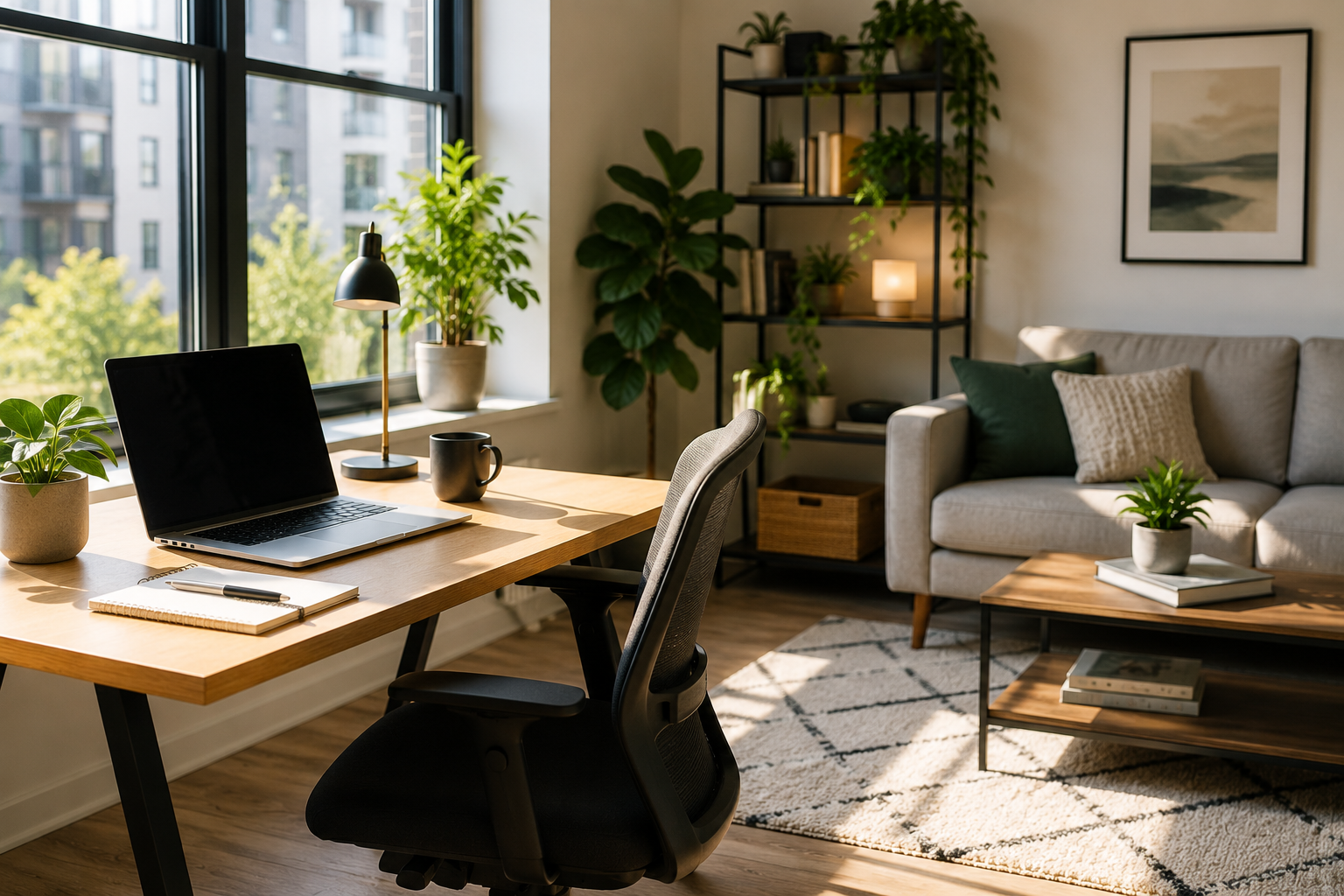
A good work-from-home apartment should give you enough flexibility to create a dedicated work zone.
That does not necessarily mean you need a separate office.
A nook, alcove, dining area, or extra bedroom can work well as long as it allows you to keep your work setup separate from the areas where you relax.
That separation can make it easier to focus during the day and disconnect when the workday is over.
If your desk is always in direct view from your bed or sofa, it may be harder to create that mental boundary between work and home.
Pay Attention to Natural Light
Lighting can make a major difference in how comfortable a workspace feels.
Look at where the windows are located and how sunlight moves through the unit during the day.
East-facing or south-facing windows may provide consistent natural light, but too much direct sun can create glare on computer screens.
When touring the apartment, think about where your desk would realistically go and whether the lighting in that location would work well for video calls and long hours at a computer.
Window treatments can help manage glare, but starting with a naturally bright space can make a big difference.
Check the Electrical Setup
Remote work often means multiple devices running at the same time.
Your laptop, monitor, phone charger, desk lamp, router, and other equipment all need convenient access to power.
Before signing a lease, look closely at where the outlets are located.
A beautiful work nook becomes much less useful if the only outlet is across the room or hidden behind furniture.
It is also worth checking whether the unit has enough outlets overall for the way you plan to use the space.
Verify the Internet Before You Move In
Fast, reliable internet is one of the most important features for any remote worker.
Do not assume that a building advertising high-speed internet means the connection will be equally strong in every unit.
Ask which providers service the exact apartment and, if possible, request information about available speeds.
It can also help to ask where the router would typically be located in relation to your planned workspace.
If you are touring in person, test the signal on your phone in the area where your desk would go.
For jobs that involve frequent video calls, cloud-based tools, or large file transfers, reliable upload speed can be just as important as download speed.
Listen for Noise During Work Hours
Noise can be one of the hardest problems to fix after you move in.
An apartment may seem quiet during an evening tour but sound very different on a weekday morning.
If possible, visit during normal working hours.
Stand quietly inside the unit for a few minutes and listen for hallway noise, neighbors, traffic, construction, elevators, loading areas, or other sounds that could interrupt meetings or concentration.
Double-pane windows and solid construction can help reduce noise, but the surrounding environment matters just as much.
Ask Better Questions
Instead of simply asking whether the apartment is quiet, ask more specific questions.
For example, ask what the unit typically sounds like on a weekday morning.
You can also ask about nearby construction, trash pickup, deliveries, street traffic, or common-area activity.
If you are touring remotely, request a short video from the area where you would actually place your desk.
That can help you see outlet placement, window glare, noise levels, and whether there is enough room for your setup.
Look at the Building Amenities
For remote workers, building amenities can function like an extension of the apartment.
A co-working lounge, private meeting room, business center, or quiet common area can give you another place to work when you need a change of scenery.
This can be especially useful if your apartment is smaller.
Reliable Wi-Fi in common areas is another plus.
A secure package room can also be helpful if you regularly receive work equipment, supplies, or deliveries during the day.
Think About the Neighborhood Too
Working from home can mean spending more time in your immediate neighborhood.
Walkability becomes especially valuable.
Nearby coffee shops, libraries, parks, restaurants, and other places to take a break can help prevent your apartment from feeling like both your home and your entire world.
Even a short walk during lunch can provide a useful reset during the workday.
When comparing apartments, think about what is available within a few minutes of the building.
Understand Utility Costs
Remote workers often spend more time at home than traditional commuters.
That can mean higher electricity, heating, cooling, and internet usage.
Before signing the lease, ask which utilities are included and which you will be responsible for paying separately.
If the building has central HVAC, find out how those costs are calculated.
Understanding the full monthly expense can make it easier to compare apartments realistically.
Consider Lease Flexibility
One advantage of remote work is that it can provide more geographic flexibility.
That makes lease terms especially important.
Review early termination policies, transfer options, renewal terms, and any penalties for breaking the lease.
If your job changes or you decide to relocate, a more flexible lease could save you a significant amount of money.
Have a Backup Plan for Outages
Internet and power outages can become a major problem when your apartment is also your workplace.
Ask whether the building has backup power in common areas or emergency Wi-Fi access.
It is also worth knowing whether nearby libraries, co-working spaces, or coffee shops could serve as backup work locations.
A mobile hotspot can provide another layer of protection if your job depends heavily on staying connected.
How Much Space Do You Really Need?
You do not necessarily need a huge apartment to work comfortably from home.
A small dedicated area may be enough for a desk, chair, monitor, and basic equipment.
What matters more is whether the space is functional.
A thoughtfully designed one-bedroom with a good work nook may be more useful than a larger apartment with an awkward layout and nowhere practical to place a desk.
Focus on how you will actually use the space rather than square footage alone.
Test the Apartment Like You Already Live There
During a tour, imagine yourself going through a normal workday.
Where would you sit?
Where would your monitor go?
Would you be facing glare from a window?
Can you hear traffic?
Is the Wi-Fi strong in that area?
Can you close a door during an important meeting?
Where would you take a break?
Evaluating the apartment this way can help you notice issues you might otherwise overlook.
The Bottom Line
The best apartment for a remote worker should function as both a comfortable home and a dependable workspace.
Prioritize a practical layout, reliable internet, convenient outlets, natural light, manageable noise, and enough separation between work and relaxation.
Building amenities, neighborhood walkability, utility costs, and lease flexibility can also make a major difference in your day-to-day experience.
Choosing an apartment with work-from-home needs in mind can help create a space that supports both productivity and quality of life.
Source: Adapted from Redfin’s “The Remote Worker’s Guide to Choosing the Right Apartment,” by Emily Pascale, published August 21, 2026.
This article is for general informational purposes only. Internet availability, utility costs, lease terms, noise levels, building amenities, and apartment conditions vary by property and location.